Knowing how to pack cords before moving day can save hours of frustration when it is time to reconnect TVs, computers, routers, chargers, gaming systems, and appliances. The most important rule is simple: organize cords before anything gets unplugged. Once a bundle of similar black cables lands in one box, it becomes much harder to know what belongs where.
Label cords before unplugging electronics from the wall or device
Cord organization starts while every setup is still connected. Before unplugging a television, computer workstation, router, printer, gaming console, or appliance, make a quick inventory of what is attached. Include power cords, adapters, signal cables, remotes, dongles, brackets, charging cables, and other small accessories.
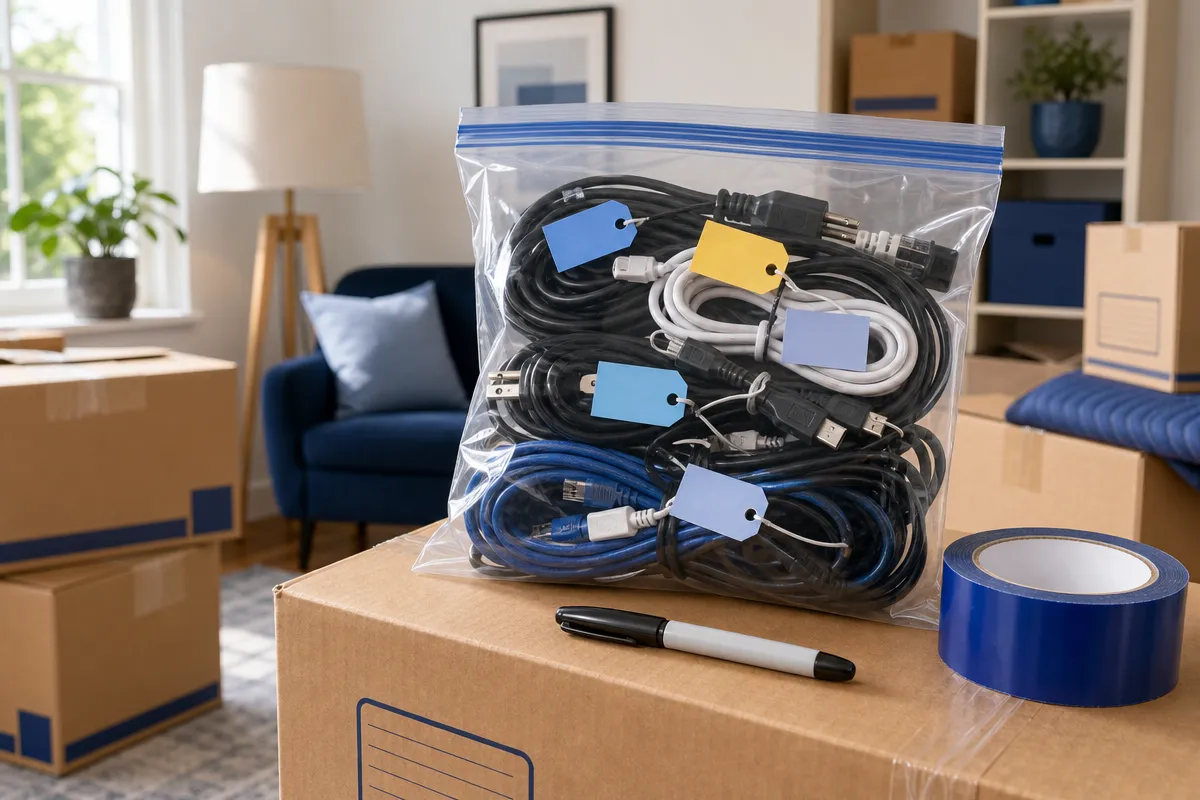
Labels should be specific enough to make sense weeks later. A tag that says “office cord” will not help much if several cords came from the same desk. Labels such as “monitor 1 to computer,” “TV to soundbar HDMI,” “router to modem,” or “PS5 power” are much more useful.
The best approach is to label both ends of similar-looking cables. Masking tape, cable labels, or colored stickers can work, as long as the wording identifies both the device and the connection. Guidance on labeling both ends of cables also recommends avoiding vague descriptions because similar cords are easy to confuse during unpacking.
Numbered labels make complex setups easier to rebuild
For crowded entertainment centers and computer workstations, use numbers as well as words. Put “1” on the cable and “1” beside the matching port in a written note or photo. Repeat the pattern for each connection.
This method is helpful when several HDMI, Ethernet, USB, monitor, speaker, or power cables are connected in one area. It also reduces the temptation to rely on memory. Many adapters and chargers look alike while having different ratings, connectors, or intended devices, so identification matters before they are removed.
Photograph each cord setup before disconnecting anything
Photos give you a visual map for reassembly. Before disconnecting a setup, take clear pictures of the back and side of every connected device. Include TVs, receivers, soundbars, cable boxes, computers, monitors, printers, routers, modems, game consoles, and entertainment centers.
Take both close-up and wide photos. A close-up shows which cable enters which port, while a wider photo shows how everything routes through the desk, cabinet, wall outlet, or power strip. Advice on photographing how plugs are arranged is especially useful when a power strip serves several devices.
A desktop computer may need several separate pictures. Photograph the tower, monitor, keyboard, mouse, speakers, printer, and network equipment if there are multiple connections. For a gaming setup, capture the console, television, sound system, external storage, charging station, and controller connections before unplugging them.
Organize photos so they are useful during unpacking
Photos are only helpful if you can find them later. Store them in a clearly named phone album or shared folder, such as “Move, Living Room TV” or “Move, Office Computer.” Keep the images available during unpacking so you can compare the new setup with the original arrangement.
Do not write passwords or private account information on box exteriors or publicly visible labels. The goal is to document cord placement, not sensitive access details. A practical photo system should show device connections, outlet use, and cable routing without exposing private information.
Keep each cord, adapter, remote, and small part with its device
Disconnect one device or setup at a time. Unplugging an entire room at once may feel faster, but it creates confusion quickly. After removing a cord, coil it loosely, secure it, and place it with the device it serves.
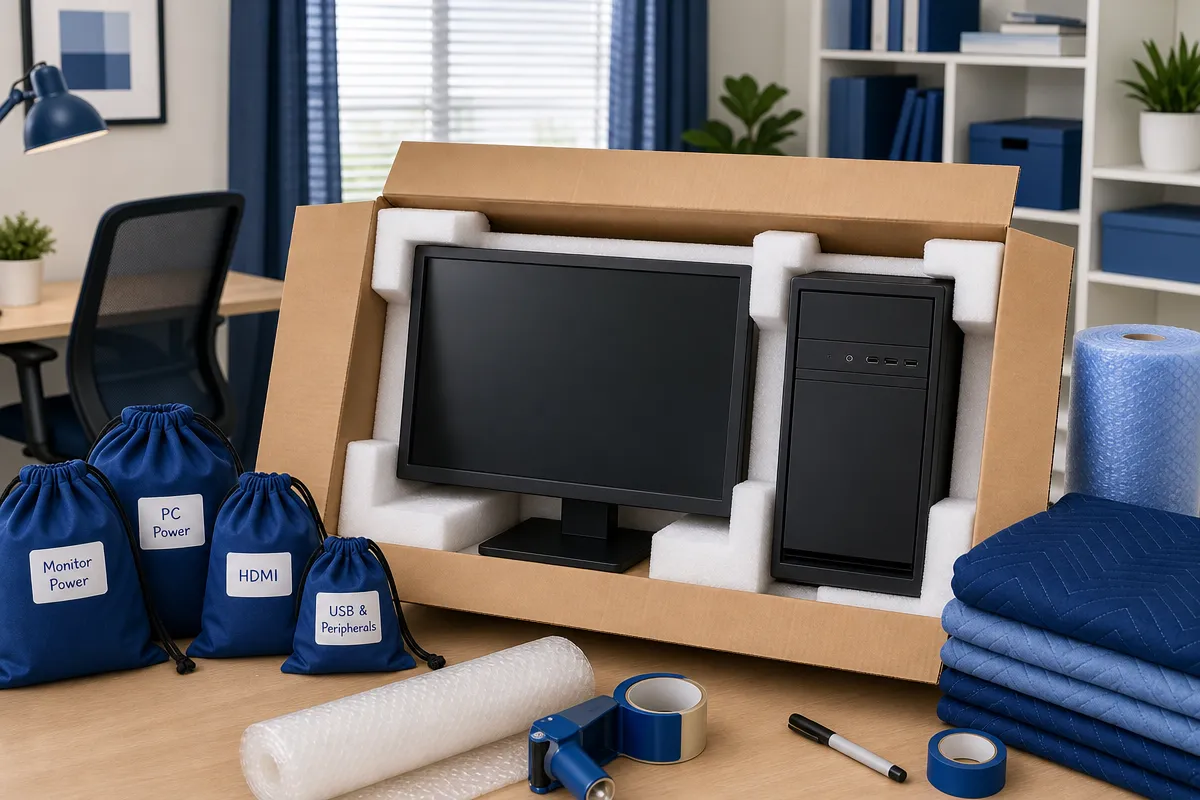
Use one labeled resealable bag or small parts bag per device or setup when possible. Put the device’s cables, power adapter, remote, stand hardware, dongles, screws, clips, and other small accessories in that bag. Then attach the bag to the device if it is safe, or place it in the same box.
This device-by-device method is especially useful for televisions, printers, desktop computers, specialized appliances, and gaming systems with proprietary adapters. Guidance on placing cables with the device also emphasizes keeping related accessories together so unpacking does not depend on guesswork.
During packing services, this is one of the clearest ways D1 Moving and Storage can help organize electronics for a household move: the crew can keep labeled cords, adapters, remotes, and small parts grouped with the equipment they belong to.
Use simple packing supplies to prevent tangles and damage
You do not need complicated materials to pack cords well. The key is using each supply with a clear purpose. Every cord should be easy to identify, protected from pressure, and separated from unrelated electronics.
Loose cords can tangle, scrape finishes, or press against delicate screens. Tight bundles can strain connectors or pinch insulation. A few basic supplies make the process cleaner and easier to control.
Before sealing boxes, check that each cord group is labeled and matched to its device. This final check prevents the most common problem: finding the device but not the part needed to power or connect it.
Coil each cord separately instead of making one large mixed bundle.
Secure coils loosely with a reusable cable wrap, Velcro strap, twist tie, or appropriately sized zip tie.
Use one labeled resealable bag for chargers, USB leads, controller cables, remotes, and small adapters.
Use small parts bags for screws, brackets, clips, appliance hardware, and printer accessories.
Match color labels across the cord, bag, and box, while still writing a plain-language description.
Add paper, bubble wrap, towels, or other cushioning so plugs and adapters cannot rub against screens or finished surfaces.
Pack chargers, entertainment systems, computers, and appliance cords by setup
Different electronics create different cord problems. A charger collection can turn into a pile of mystery cables. A home office can have several similar monitor and network cords. An entertainment center may include a television, soundbar, receiver, streaming device, cable box, gaming console, and power strip.
For phones, tablets, laptops, and cameras, label each charger with the device name. Keep the power brick, detachable USB cable, and any specialty adapters together. Avoid creating one unmarked electronics box filled with USB-C, Lightning, and proprietary charging cables.
Computer cords should be grouped by workstation. Keep the desktop power cord, monitor cables, keyboard, mouse, speakers, printer cable, network cable, external-drive leads, dongles, and styluses together. Guidance for packing electronics for moving supports labeling and grouping connections so each setup can be rebuilt more easily.
TV and gaming systems deserve their own labeled groups. Photograph the arrangement first, then label each HDMI, optical, Ethernet, speaker, and power connection before removing it. Keep gaming cables with the console they serve, including power cords, HDMI leads, controller charging cables, headset adapters, and external-drive cables.
Power strips and appliance cords need their own labels
Power strips should not disappear into a general cord box. Label each one by location or purpose, such as “living room TV power strip,” “office desk power strip,” or “workshop tools.” If several devices use the same strip, photograph the plug arrangement before disconnecting it.
For appliances, coil cords loosely without sharply bending the plug or forcing the cord around the appliance. Keep removable power cords, adapters, brackets, trays, and manuals with the appliance they belong to. Advice on packing electronics for moving house also notes the importance of protecting plugs and hard connectors so they do not scrape finishes or press against fragile parts.
Before sealing any electronics box, verify that every device has its labeled cables, adapter, remote, and small parts. Mark the box with the destination room and contents, such as “Office, computer and cables” or “Living room, TV accessories.” Keep essential chargers or work equipment accessible if needed soon after arrival.
If your move includes several computers, a wired entertainment center, network equipment, complicated audio or gaming systems, or electronics that need to be available quickly after delivery, professional packing can make the process more organized. To plan packing, moving supplies, local moving, long-distance moving, storage, or related moving support, visit D1 Moving and Storage.